Orium | Accelerator design system

A working design foundation on day one, better with every build

2020–2023
Product design lead
Composable commerce
Design systems
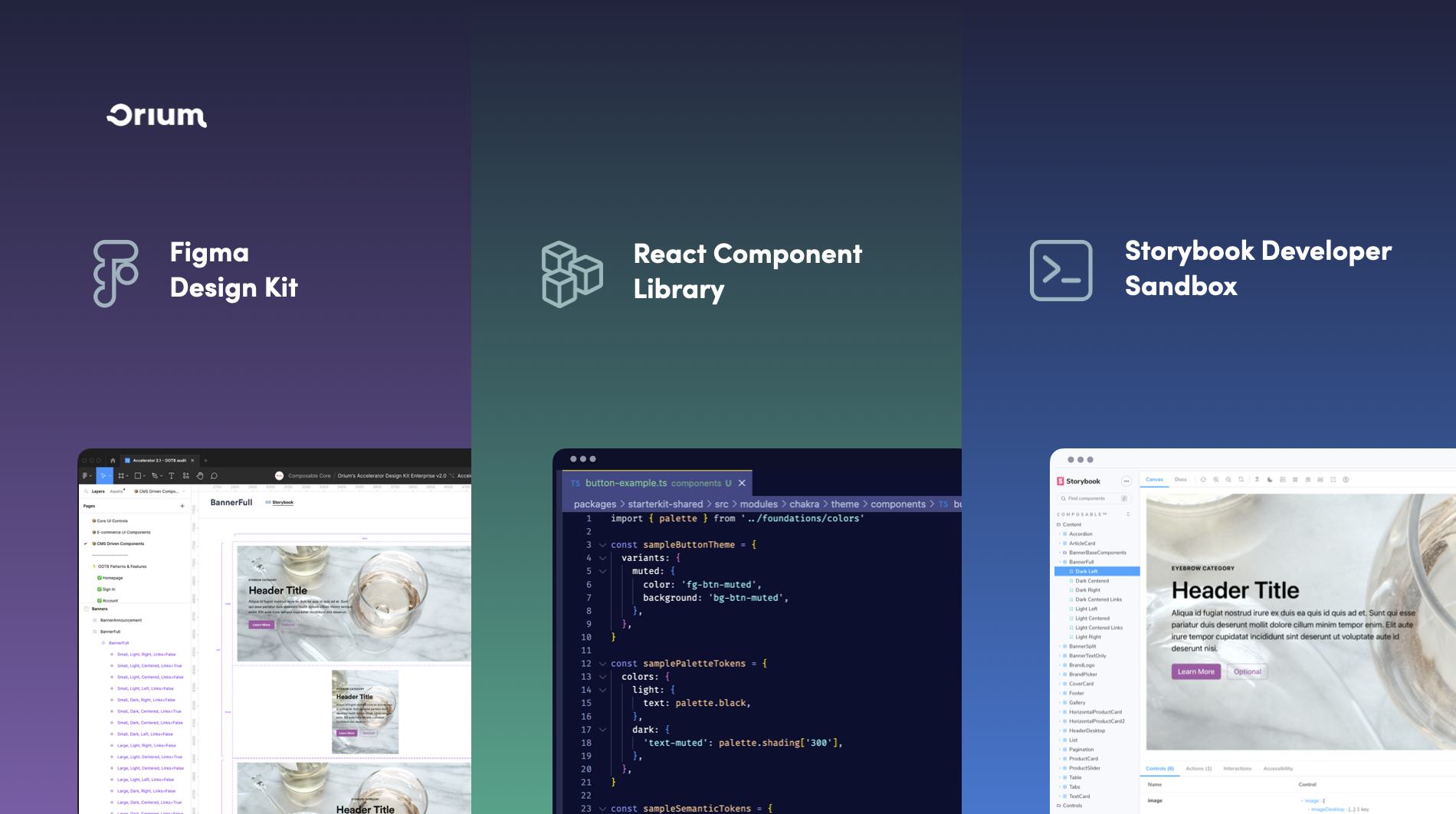
Three vertical panels showing design and development tools from Orium: left panel with Figma Design Kit interface displaying a webpage layout; middle panel with React Component Library code in a text editor highlighting a sample button theme; right panel with Storybook Developer Sandbox interface displaying a webpage titled Header Title with content and design controls.

tl;dr

Summary

I created and owned the accelerator's design system starter: a themeable Figma kit mirrored to a React component library, with the standards and governance that kept design aligned to production and let the system improve through real client work.

Problem

Orium's accelerator gave teams reusable engineering infrastructure, but design still started from scratch. Standing up an on-brand Figma foundation and aligning it to code took two to three weeks, so clients couldn't see what they were getting until it was built.

My role

I created and owned the accelerator's design system starter, setting its architecture, standards, and Figma foundation. I partnered with frontend engineering, who owned the React library and Storybook, to keep design and production aligned one to one. With delivery teams and service partners, I validated patterns and shaped how new work entered the system.

The result

A themeable starter that let teams stand up an on-brand storefront in one to two days, then work with clients to identify what worked out of the box and where customization actually mattered.

Impact

Scale

77+ | 42+

components and experience patterns

Design tokens

100%

of components ingesting design tokens at departure

Speed

~2 weeks → 1–2 days

to stand up a themed client demo

5 min read

Deep dive

The full walkthrough from how the project came to be, to what shipped, and what changed.
Context

Mirror production

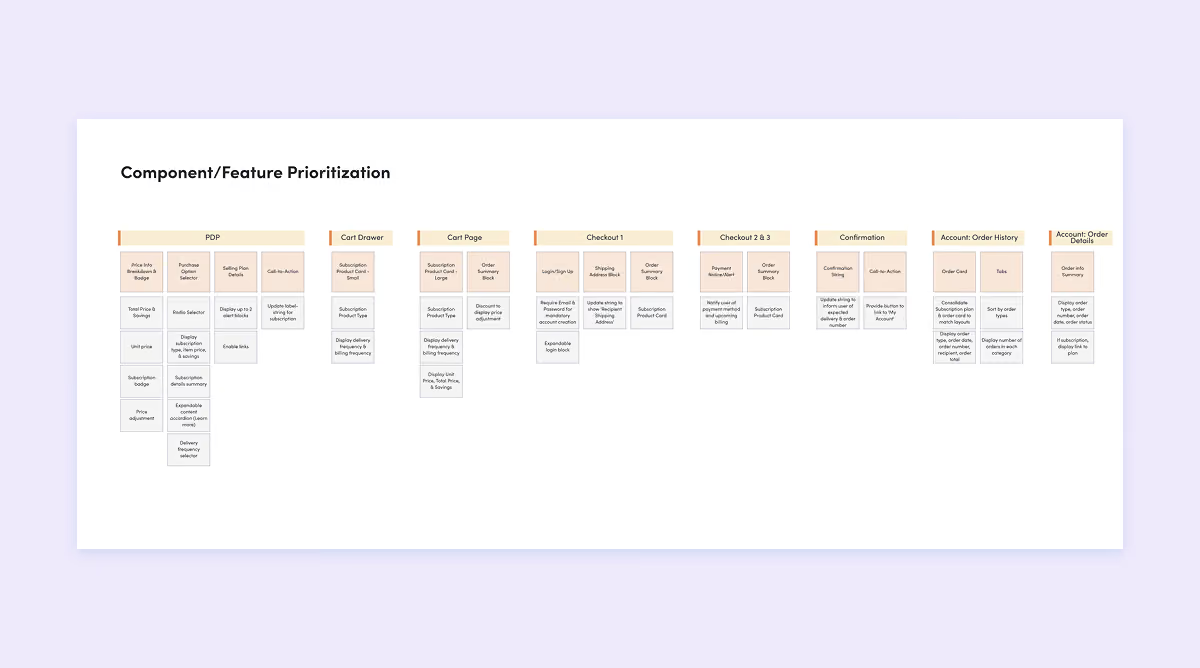
Designers were rebuilding the same tokens, components, and patterns on every engagement, and the design and the shipped product could drift into two interpretations of the same system.I fully designed and managed the Figma design kit, and engineering built the React component library from it, matching a component's properties, variants, and states across the two so they couldn't drift. After alpha, engineering moved to Chakra UI for the primitives; the starter added the opinionated commerce layer on top, from product discovery through checkout and accounts, preconfigured to the services behind them.

The rule underneath it: designers should only design from capabilities the accelerator actually supported. A kit that promised more than production could deliver would send every team back into bespoke work.

Design Kit: Three layers, one file

The system worked at three layers—foundations, components, and experience patterns—with enterprise requirements like localization, multi-site management, and structured content built throughout.

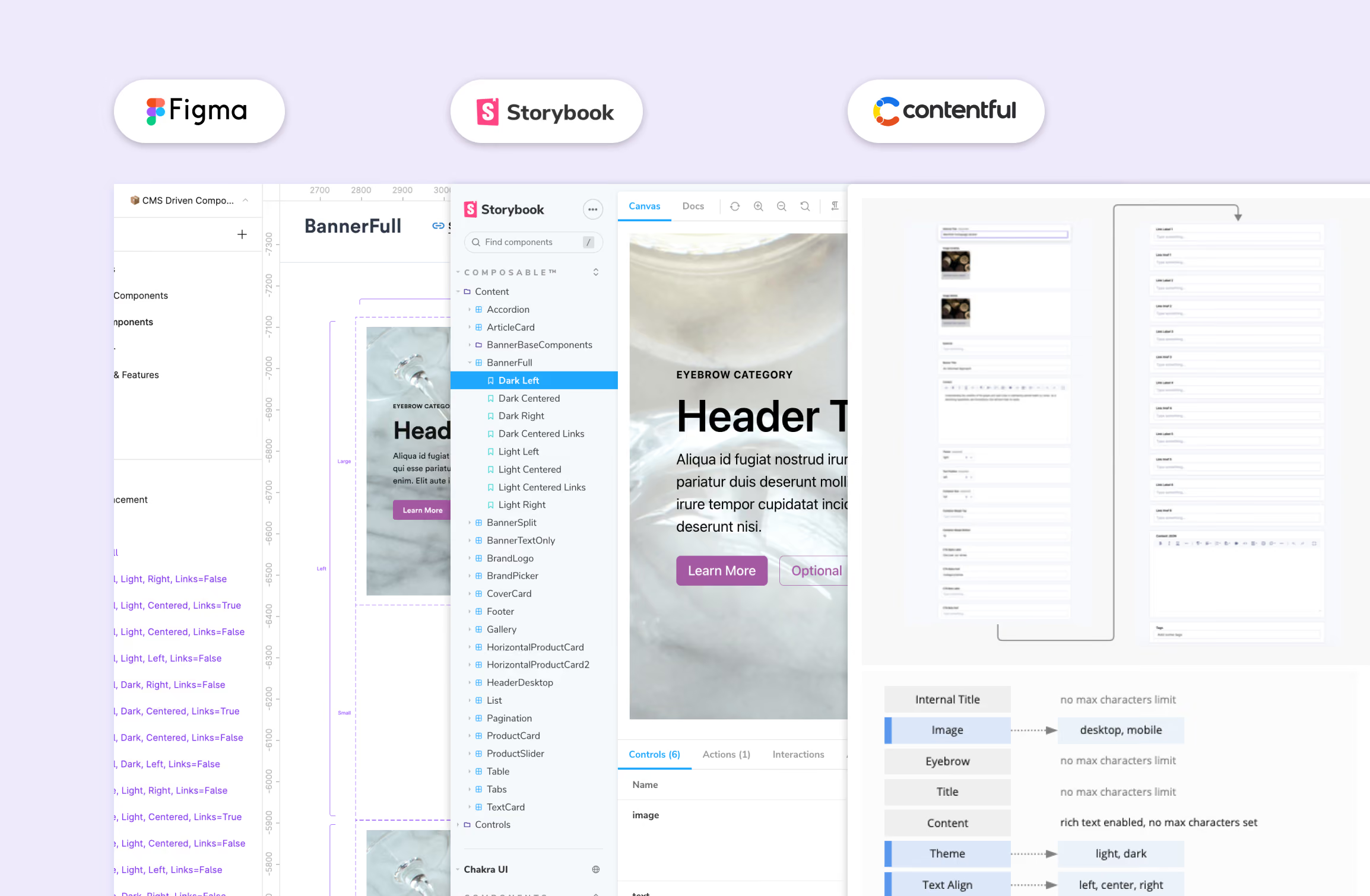
Example of a CMS-based component across Figma, Storybook, and Contentful
Documentation

Encode the constraints

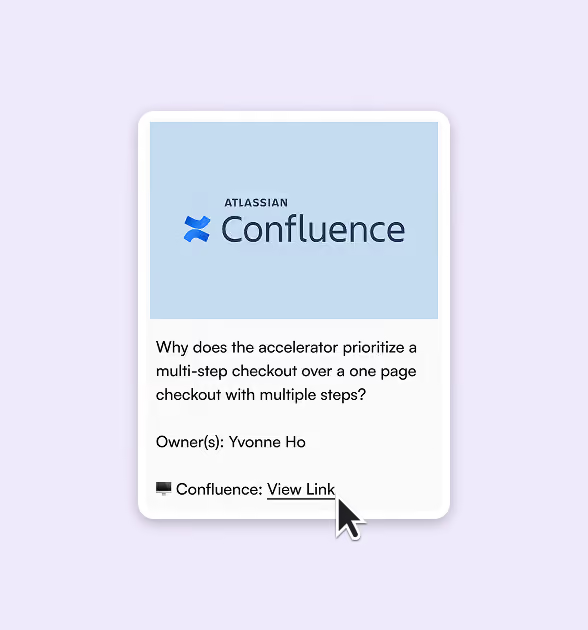
A reusable kit can make anything look possible. The hard part, and the real work, was showing where the system stopped being flexible.Patterns encoded the content schemas and integrations they depended on, so designers could see the accelerator's constraints rather than discover them during implementation. Patterns were validated against Baymard research, Orium's client research, and WCAG AA requirements before entering the system.

Encode decisions, not just screens. The accelerator's configurable three-step checkout was documented with its reasoning and constraints, so delivery teams understood why the default existed and where it could flex.

Atlassian Confluence logo above a text box with the question 'Why does the accelerator prioritize a multi-step checkout over a one page checkout with multiple steps?' and owner name Yvonne Ho, followed by a Confluence link labeled 'View Link' with a cursor pointing at it.
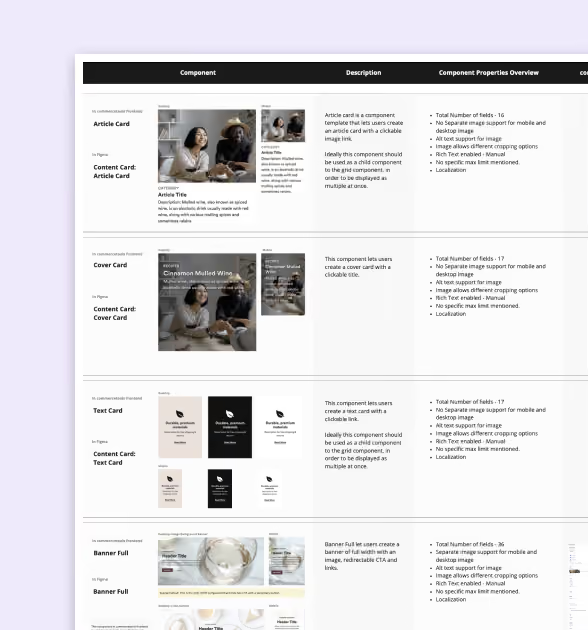
Comparison chart displaying four types of content cards—Article Card, Cover Card, Text Card, and Banner Full—with example images, descriptions, and component properties overview including total number of fields, image support, alt text options, Rich Text availability, and localization details.

Contributions

Govern what becomes reusable

The system got better through the work, but only because admission was governed. Not every pattern a project produced belonged in the core.

I ran component-mapping across projects (most-used components, how often each recurred, how much each needed to flex) to see what was genuinely repeatable, and the design guild I established reviewed and refined what was ready to be considered, weighed against engineering feasibility. By my departure the core had grown past its starting scope into a mobile starter kit and a reference library of cross-project experiences.

1. Propose

Delivery designers brought patterns from live client work.

2. Evaluate

We weighed recurrence across clients, flexibility across business models, fit with the headless content schemas, and engineering feasibility.

3. Admit or reference

Generalizable patterns entered the core; brand-specific or one-off solutions stayed available as reference.
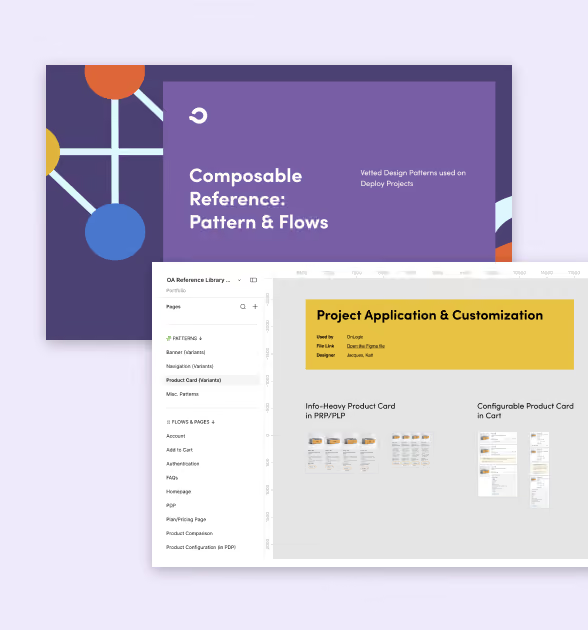
A digital interface showing a composable reference guide titled 'Composable Reference: Pattern & Flows' with a purple background and connected circle graphics to the left. Below it is a screenshot of a project dashboard named 'Project Application & Customization' highlighting info-heavy product cards and configurable product cards in a cart preview.
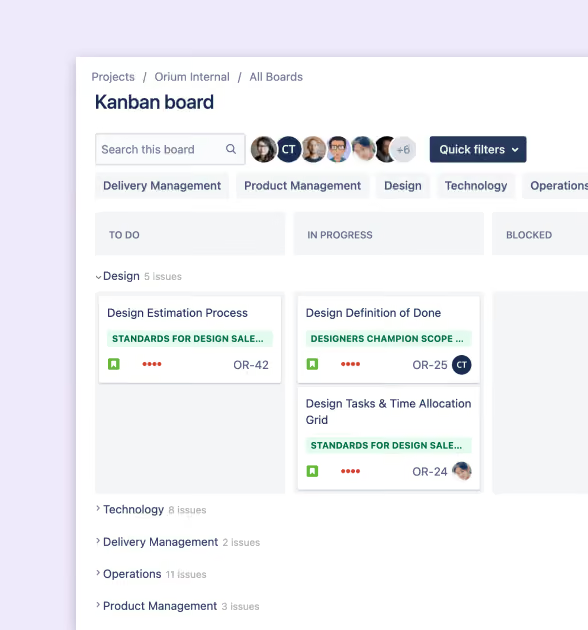
Kanban board interface showing tasks divided into columns labeled 'To Do,' 'In Progress,' and 'Blocked.' The 'Design' section lists cards for 'Design Estimation Process,' 'Design Definition of Done,' and 'Design Tasks & Time Allocation Grid,' with associated issue numbers and user avatars. Filters for Delivery Management, Product Management, Design, Technology, and Operations are visible, along with a search bar and quick filters button.

Outcomes

What changed for teams

Started further ahead.

A themed starting point took 1 to 2 days instead of 2 to 3 weeks.

Low-code theming

I prioritized migrating the full library to shared tokens over adding more components, so brand changes flowed straight through. Even non-technical people could update the design tokens in Figma and push them to code, no developer needed.

Every build added knowledge

Validated patterns became the starting point for the next project.

Learnings

What the work taught me

Make the constraints visible

The hardest part wasn't creating more components, it was documenting what each integration actually allowed. Required fields, character limits, schemas, and configuration options were unglamorous, but they kept the kit honest about what production could support.

Build the model, not the tool

We built the token pipeline before Figma had native variables, so I kept the token structure separate from the tooling that represented it. When native support arrived, we could migrate without rebuilding.
A pair of blue quotation marks on a white background, with opening marks on the left and closing marks on the right.

She excels in enabling her team to succeed: setting up carefully curated design systems, creating design templates that speed up work without sacrificing quality, establishing governance guidelines to ensure future work fits seamlessly with past work, and running thoughtful critique sessions with insightful and actionable feedback.

Cara Tsang

Head of Design, Orium